
Configure the BackupCodeDependencyMaxLevel Setting
Use this procedure to enable and configure the BackupCodeDependencyMaxLevel setting.
To enable and configure the setting:
Navigate to the <Cobra Installation Directory> Scripts\Oracle\Create folder.
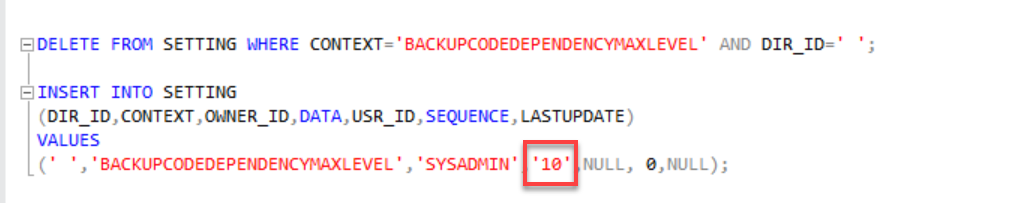
Locate the Cobra_Enable_BackupCodeDependencyMaxLevel.sql script and run it manually.
Modify the level value.
How to...
Learn more about...