
File-Based Security
File-based security pertains to menu items that are secured based on the access control records defined on a Cobra file (for example, project).
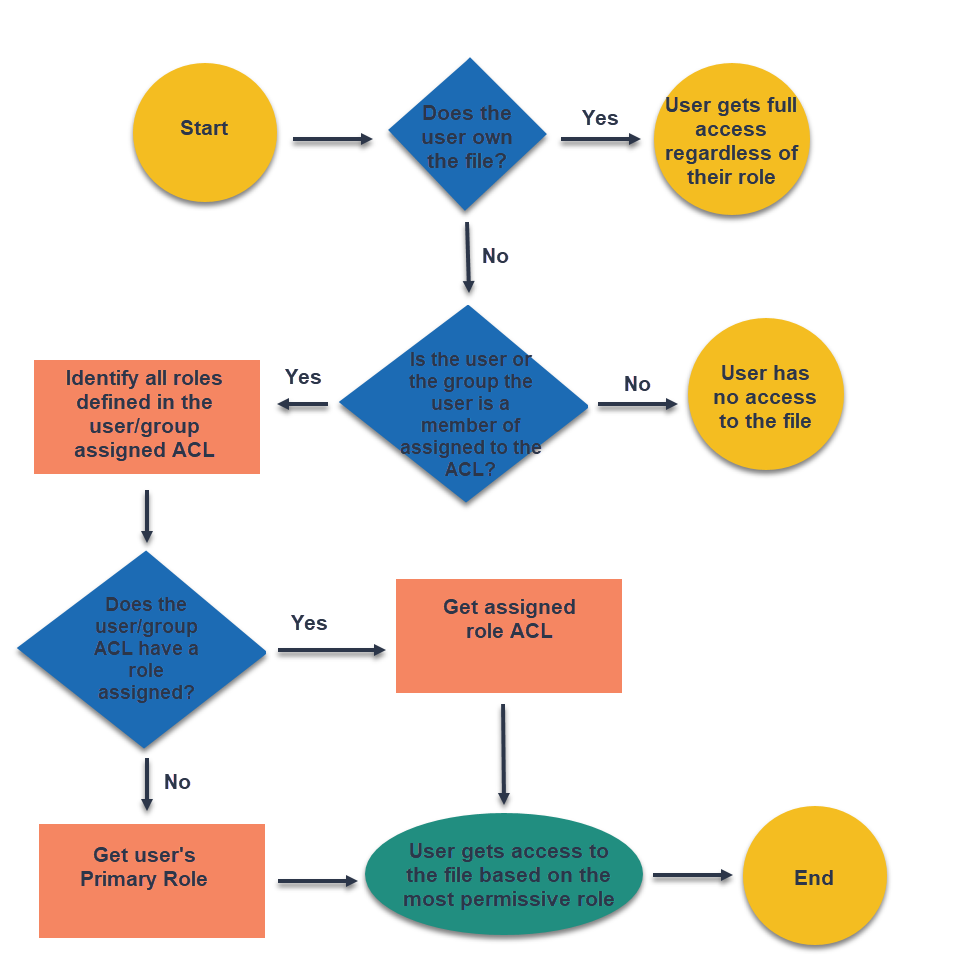
This diagram illustrates how access to the file is determined based on the access control assigned to the Cobra file.
Menu Items Using File-Based Security
This section lists the menu items secured based on the access control of the currently selected file. The items are grouped based on the Cobra ribbon tab where they are located.
| Field | Description |
|---|---|
| Processes Tab |
|
| Integration Tab |
|
| Reporting Tab |
|
| Tools Tab |
|